
Quick recap — what went down
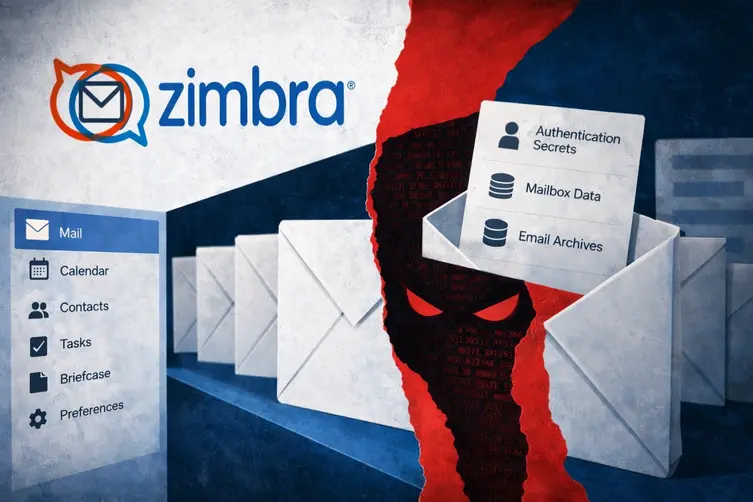
Security researchers found that threat actors exploited a serious bug in Zimbra Collaboration Suite — identified as CVE-2026-73570 — to break into mail servers without a password and do nasty things. The flaw, which only triggers when SNMP notifications and the optional zimbra-snmp package are active, can be abused via specially crafted SMTP requests against exposed servers. Once inside, attackers planted web shells, ran reverse shells, and started grabbing mailbox and authentication data.
The vendor shipped a patch in July 2026 (Zimbra 10.1.20). Telemetry shows activity between the patch release and the public disclosure, with scanning and probing observed in late July and early August. Not every infected host followed the same playbook, but common post-compromise actions included privilege escalation, persistent remote access, and mass collection of sensitive configuration and mailbox artifacts.
How the intruders operated — and what you should check now
Here’s the attacker recipe, translated into normal-sounding steps so you can scan your estate without learning villain-speak.
- Map the Zimbra environment with internal tools (for example, using zmprov) to find mailbox and MTA nodes to target for follow-up activity.
- Look for the Zimbra SSH identity files so attackers can hop between trusted hosts in a cluster.
- Gain higher privileges by tampering with privilege controls (some intrusions modified PAM sudo configuration to allow passwordless sudo for the zimbra account).
- Deploy fallback persistence — attackers created services (for example, a systemd unit named like zimlog.service), cron jobs, and other autorun entries to survive reboots.
- Extract centralized service secrets with local configuration commands (for example, running zmlocalconfig to collect keys like pre-auth tokens rather than brute-forcing individual mailbox passwords).
- Reuse existing SSH identities and rsync to spread web shells and helper scripts to other nodes in the cluster.
- Use encrypted reverse shells and downloaders (wget/curl/OpenSSL-encrypted tunnels) to pull additional tooling and exfiltrate data.
- Some campaigns dropped lightweight installers that launched a Go-based remote-access agent providing interactive shells, file transfers, SOCKS5 proxying, and multiple transport options (WebSocket, TLS, raw TCP).
Attackers also targeted Zimbra storage and databases. Examples of tables and data types observed exfiltrated or staged for export include:
- mailbox
- mailbox_metadata
- mobile_devices
- out_of_office
- All tables in the zimbra.* namespace
Harvested files and secrets were compressed into archives and pushed off-box using cloud-storage tools or custom upload techniques. In at least one instance attackers archived recent mailbox backups before attempting to transfer them to remote storage.
If you want a fast checklist to triage an affected server, try this:
- Confirm Zimbra version; apply the vendor patch (10.1.20 or later) immediately.
- If you can’t patch right away, remove the zimbra-snmp package or disable SNMP notifications and block SNMP and SMTP access to untrusted hosts.
- Rotate Zimbra authentication secrets and keys (pre-auth keys, token keys, two-factor secrets) if you suspect compromise.
- Search logs (for example, /var/log/zimbra.log) for suspicious service restarts and probe activity; review temp and webapps directories for new files and unexpected permission changes.
- Scan for JSP/web-shell files, unexpected systemd units, cron entries, new SSH authorized keys, or odd local accounts.
- Audit for tampering with PAM or sudoers configuration and restore secure settings if modified.
- Investigate outbound connections and any unusual usage of cloud-storage tooling or archive transfers.
Bottom line: this bug gave unauthenticated command execution on internet-facing mail servers when a specific optional package and SNMP notifications were used. Patch first, then hunt for traces of web shells, lateral movement, and credential harvesting. If you like drama-free inboxes, treat this one like a hot stove: don’t poke it.