
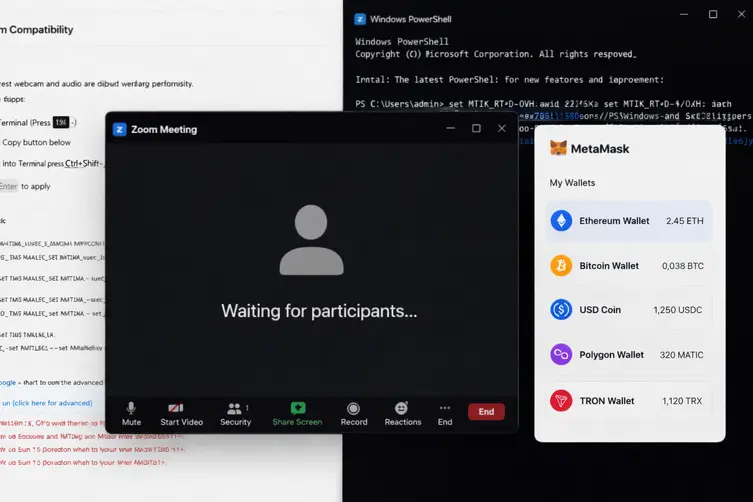
North Korea–linked operators have been running a sneaky, highly automated scam that impersonates Zoom and Microsoft Teams to trick people into running malware. The scheme is equal parts social engineering, impersonation and digital sleight-of-hand — and it’s tuned specifically to hunt for cryptocurrency holders before pulling the trigger.
How the fake-meeting pipeline works (but way creepier)
Here’s the basic playbook in plain, slightly horrified language: attackers first hijack or compromise a real contact’s account in the crypto or finance world, then use that trusted identity to send meeting invites. The victim clicks a Calendly or meeting link that looks like Zoom/Teams, lands on a convincing impostor page, and gets walked through a sequence that ends with malware or account takeover.
The operation mixes a few clever tricks:
- They abuse compromised contacts — messages appear to come from people the target already knows and trusts.
- The phishing pages impersonate desktop meeting clients (Zoom/Teams), prompt for webcam/mic permissions, and use WebRTC to stream or exfiltrate media back to the attackers.
- A silent browser fingerprinting step inventories installed crypto wallet extensions and browser artifacts: this is the wallet reconnaissance stage to pick out high-value victims.
- When the victim is primed, an update prompt (the infamous “SDK update”) pushes the ClickFix payload — which then performs the heavy lifting (malware, stealer, session theft).
They even lace fake meeting video with AI-generated headshots and recycled body language from past captures so the call looks eerily familiar. One compromise feeds the next because, if Telegram sessions are accessible, the attackers can reuse those sessions to message the victim’s contacts.
What the malware does and how it spreads
There are two main flavours of post-click damage depending on the target OS. Both aim to collect credentials, browser secrets, and take over messaging sessions so the campaign becomes self-propagating.
Windows chain (high-level):
- Initial payload runs a PowerShell loader that fetches and runs a VBScript and disables Defender protections.
- It checks browser profile folders for Telegram Web artifacts and other files that indicate an active Telegram session, with the goal of stealing session cookies or session data — basically a session hijack tool.
- The implant enumerates browser extensions across Chromium- and Firefox-based browsers to find known wallet extensions (e.g., MetaMask) and report back which accounts look valuable.
- It can also fetch follow-up payloads as needed, so the exact next stages vary per target.
macOS chain (high-level):
- ClickFix runs a shell script that downloads a bogus Teams/Zoom installer.
- The fake installer deploys a stealer that harvests system metadata and Chrome master keys from the Keychain, then exfiltrates data through a Telegram channel and deploys additional implants.
Researchers observed that the exfiltration mechanism contains hard-coded bot tokens and chat IDs, tying the malware’s reporting back to operator infrastructure and aliases. Multiple kit versions were discovered, indicating active development and refinement.
Also worth noting: the Teams lure appears more polished than the Zoom one in some captured samples — mobile blocking, emoji reactions and more advanced wallet probes show up in the Teams variant.
So what’s the endgame? After profiling wallets and collecting credentials, attackers selectively deliver the bigger payloads only to the victims worth targeting, maximizing payoff while keeping noise low.
So… how do you not get rekt?
Here are practical, no-nonsense steps to blunt this kind of campaign. No arm-waving, just stuff you can do today.
- Don’t blindly click meeting links. Verify invites via a separate channel (call or known chat) if anything smells odd.
- Be suspicious of update prompts in meeting apps. If an update is required, go to the official app store or vendor site — don’t accept an in-call SDK/update pop-up.
- Lock down messaging sessions: avoid keeping Telegram Web open on shared devices and remove stale sessions from the app settings. Use logout on unused devices.
- Enable two-factor authentication everywhere and prefer hardware keys for critical accounts and wallets.
- Run reputable endpoint protection, keep OS and apps patched, and don’t whitelist broad folders in AV exclusions.
- Use hardware wallets or cold storage for substantial crypto holdings and audit installed browser extensions — remove anything you don’t need.
- Educate contacts: if your account gets hijacked, it’s a chain reaction. Tell people to verify strange meeting links even if they seem to come from you.
In short: attackers are treating people and relationships as the new perimeter. The campaign is part impersonation, part reconnaissance, and part automated infection pipeline that’s been actively refined. Stay skeptical, patch fast, and treat meeting invites like miniature social-engineering landmines.
Final nugget: if a meeting looks too convenient and asks for weird permissions, close the tab, call the organizer, and don’t be the person who installs the “urgent SDK update.”