
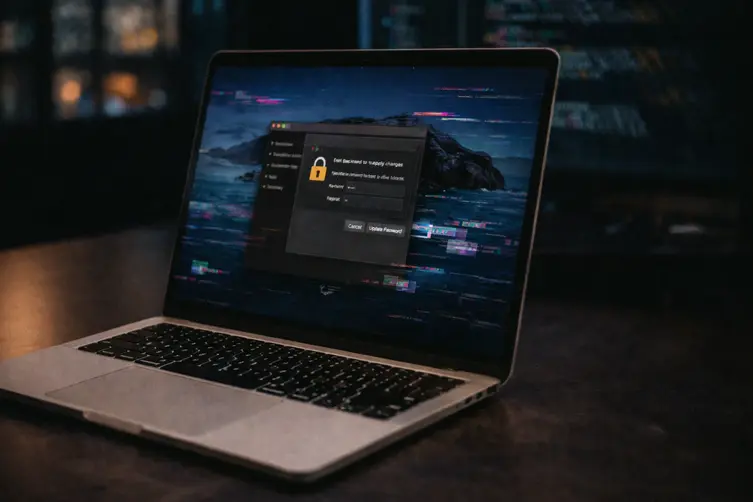
Meet CrashStealer: a rather rude little macOS info-stealer that looks legit enough to get past Gatekeeper, then politely empties your digital pockets. It’s written in native C++ (not the usual AppleScript or Objective-C wrappers), behaves like someone who studied both charm and skulduggery, and goes out of its way to look trustworthy before doing the nasty stuff.
The delivery trick
The infection chain starts with a disk image masquerading as an installer (the bait is called Werkbit.app in samples). The disk image and the binary inside are actually signed and notarized, which gives them a VIP pass through Gatekeeper — basically a fancy dress costume for malware.
Access to the download is oddly selective: the installer sits behind a meeting PIN gate, so only folks with the right code get the file. When the DMG is mounted it shows an installer window and asks users to right-click and choose “Open” — classic social engineering to bypass the usual double-click caution.
Once launched, a helper executable reaches out to a remote repo, pulls a tiny instructions file, extracts a curl command, and runs a downloader script. That script fetches the real payload (saved to /tmp as CrashReporter.dmg), re-signs itself, and makes itself sticky on the machine by installing as a LaunchAgent.
What it steals and how it behaves
CrashStealer is nosy and methodical. It prompts the user for the login password and checks that password locally; if it matches, it uses that credential to unlock the login keychain. After that it looks around for security tools to avoid, then begins scooping up data across browsers, wallet extensions, password managers and local folders.
- Credentials from Chromium-family browsers (Google Chrome, Brave, Edge, Opera, Vivaldi, Naver Whale, etc.).
- About 80 cryptocurrency wallet extensions (examples: MetaMask, Phantom, Coinbase Wallet, Trust Wallet, Rabby, OKX Wallet, Exodus, Keplr, Solflare, Backpack).
- Data from roughly 14 password managers (examples: 1Password, Bitwarden, LastPass, Dashlane, Keeper, KeePassXC, NordPass, Enpass, RoboForm).
- Files from the user’s ~/Documents and ~/Downloads folders.
Collected files are bundled into a ZIP, encrypted client-side using AES-GCM, and then sent off to an attacker-controlled server (observed IP: 179.43.166.242) over HTTP using libcurl. The authors add extra nastiness like control-flow flattening, encrypted strings and layered anti-debugging to make analysis harder.
In short: it doesn’t just grab things, it tries to do it quietly and cleverly — signed dropper, local password validation, keychain unlocking, on-disk re-signing and stealthy exfiltration.
Quick defensive notes: don’t be charmed by notarization (it can be abused), avoid running unknown DMGs or installers from unverified meeting links, keep macOS and security tools updated, use strong unique passwords and two-factor authentication, and consider limiting admin account use. If something asks you to right-click an app to bypass warnings, treat it like a pop-up promising you a free unicorn.