
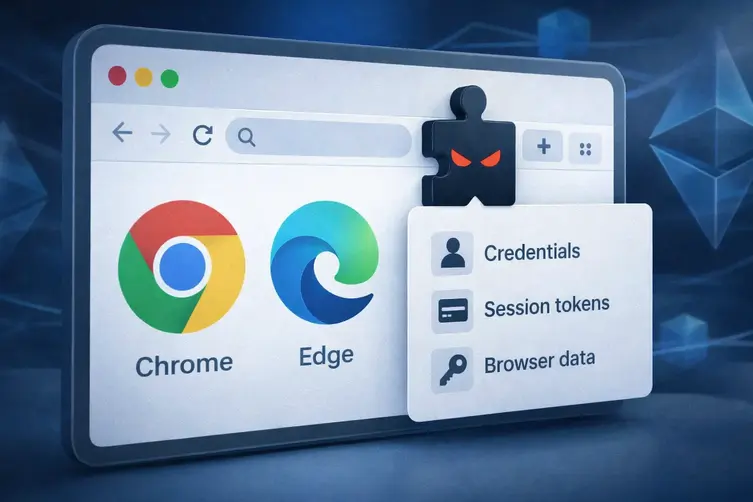
Heads up: a sneaky Brazilian banking malware family—nicknamed KREMLIN—has been busy loading shady toolkits into victims’ machines and slipping a malicious browser extension into Chromium-based browsers to swipe logins, cookies and session tokens. It’s clever, modular, and likes to hide its command-and-control addresses in plain sight by using blockchain tricks. Yes, blockchain—not for crypto flexing this time, but to dodge takedowns.
How KREMLIN operates (a multi-act cyber soap opera)
The infection usually starts with a JavaScript file dressed up as a banking or company document. The victim double-clicks it, and if the script doesn’t detect a sandbox/VM, it proceeds through several staged loaders that only act on “real” machines. The stages include:
- A JavaScript loader that performs environment checks and fetches the next payloads.
- A second-stage installer that sets persistence (scheduled task), reaches out to a blockchain-based address resolver to get actual download links, fetches binaries, and kicks off the next stage.
- A C++ installer that abuses a legitimate security binary to sideload an unsigned DLL (masquerading as a security component) and then runs more evade-and-check routines.
That sideload trick uses a known, legitimate program as the cover to launch the dirty DLL, which then checks running processes and even hardware specs—if the machine looks like a tiny VM (under 2 CPUs or about 3 GB of RAM), it shuts down to avoid analysis. Clever and paranoid.
To keep its infrastructure flexible and hard to take down, the operators store pointers (think: download addresses and domain names) in an Ethereum smart contract. When the malware needs to update where it fetches payloads from, it queries that contract and pulls fresh URLs or domain names. This makes the C2 upkeep low-friction for the attackers and annoying for defenders.
One of those fetched items is a ZIP archive containing a malicious Chromium extension (installed under a cover name). The installer checks if the extension is already present and only downloads and installs it if the local version is missing or outdated. Installation is achieved by manipulating browser config files and integrity metadata so the malicious add-on looks like a legitimate, developer-mode extension rather than being blocked by browser protections.
What the extension does, how it talks back, and what it steals
Once the extension is live in Chrome or Edge profiles it requests broad permissions (tabs, cookies, storage, webRequest) and generates a unique ID for the victim. It then opens a WebSocket or periodically polls disguised endpoints to receive commands and upload stolen data. The extension supports commands such as:
- Take a screenshot of a tab and upload a compressed image.
- List open tabs and domains and return the active-tab state.
- Steal cookies, sessionStorage and localStorage from a selected tab.
- Capture and exfiltrate full page HTML source.
- Download attacker-supplied HTML (for forced redirection or phishing overlays).
- Refresh its own configuration and interception rules.
In addition to WebSocket commands, the extension periodically polls specific endpoints that masquerade as CSS files. Each path maps to a distinct function (upload cookies, upload tabs, upload history, upload screenshots, fetch rules, etc.). Those fake-CSS calls are just another cover channel for command and control.
In observed campaigns the operators also delivered other off-the-shelf trojans alongside their extension, and they’ve been known to switch tactics and infrastructure over time—so this is not a one-off stunt.
As for impact, the malware aims to grab a wide range of browser secrets: credential cookies, active session tokens, HTML from sensitive pages, and more. With those items an attacker can impersonate users, bypass multi-step logins, or pivot into other accounts.
Defenders have been able to poke holes in the campaign—registering a network canary domain revealed many infected hosts checking in (the majority localized to Brazil). That kind of intervention can temporarily disrupt the malware and give security teams breathing room to clean up.
Quick cleanup and hardening tips: keep browsers and endpoints patched, audit and remove unfamiliar extensions, block or monitor suspicious outbound domains and WebSocket connections, and treat any unexpected scheduled task or unsigned DLL loaded by a legitimate binary as a red flag. If you suspect compromise, isolate the machine and consider a full remediation path rather than just uninstalling the extension.
Bottom line: KREMLIN blends old tricks (sideloader abuse, staged loaders) with modern evasion (blockchain-resolved C2) and a ruthless focus on browser data. It’s another reminder that extensions are powerful—and dangerous—if attackers get them installed.