
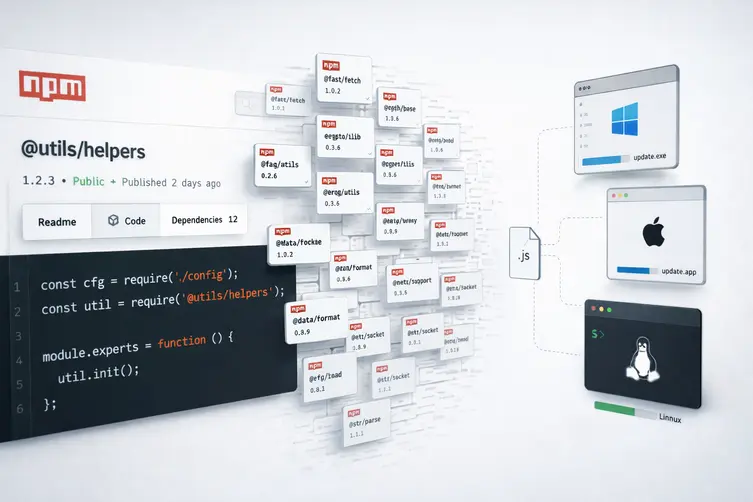
The short (and messy) version
A recent npm storm dropped nearly 800 dodgy packages that, instead of helping your project, try to turn your machine into a playground for attackers. These tiny modules don’t explode at install time like the usual supply-chain shenanigans — they politely ask you to use require() and then quietly pull down a nasty loader that fetches a second-stage implant. The campaign’s payloads include a cross-platform remote access trojan and an infostealer, so this is not the kind of surprise you want in your dependency tree.
How the trick works (a play-by-play)
The malicious packages use slipshod or autogenerated names to hide in plain sight. Once required, they drop a downloader (often called WEL1DROPPER) that fingerprints the operating system and CPU, then grabs a matching binary from remote hosts. If the HTTPS route fails, the dropper falls back to a sneaky DNS-based method to assemble the payload.
- Cloudflare Worker hosts used as first-stage download locations (plain text):
- oob-worker.cf103-070.workers.dev
- oob-worker.cf102-baf.workers.dev
- oob-worker.cf99-9b3.workers.dev
- Platform-specific payload domains (fallbacks):
- Linux x64 – sdk.dl.wel1.ru
- Linux ARM64 – ext.dl.wel1.ru
- macOS – pkg.dl.wel1.ru
- Windows – net.dl.wel1.ru
The DNS fallback works like this: the dropper asks for a TXT record that tells it how many chunks the payload has, then fetches the numbered TXT records, glues the strings together, Base64-decodes them, writes the result to a temp file and executes it. Fancy, if you’re into DNS-as-a-file-server.
Final-stage behaviors vary by OS but share the same theme: evade, persist, and phone home. Examples observed include:
- Windows: the payload launches detached, attempts to disable monitoring (patching ETW and AMSI), checks for sandboxes, installs persistence via a Registry Run key and a scheduled task, then downloads and runs an encrypted payload like
/pkg/update_win.exe. - macOS: similar anti-analysis checks, DNS TXT fallback, installs a LaunchAgent for persistence, and runs a platform-specific binary (e.g.,
/pkg/beacon_mac.bin). - Linux: an UPX-packed ELF that pulls helpers from Cloudflare Worker URLs and can lead to deployment of an open-source C2 framework. It writes to temp and executes via
/bin/sh.
Some packages also contained a bulky-looking telemetry library file (lib/telemetry.js) that doubles as a decoy — it reads like analytics code but carries the same downloader logic. The idea: make reviewers shrug and say “oh, telemetry” during a quick glance.
What it means for you (and how not to cry)
Short answer: don’t blindly require random packages. Also, your CI and local dev machines are targets, because stealing environment variables, tokens, credentials, and running arbitrary code is the whole point.
- Audit your dependencies. If a package looks like a typo or has a weird name, pause and investigate.
- Lock down install-time execution where possible. Prefer tools and policies that limit running arbitrary post-install code.
- Keep telemetry eyes open: unexpected network calls to Cloudflare Workers, odd DNS TXT queries, or sudden detached child processes are red flags.
- Use least privilege for developer machines and CI runners; don’t run builds as admins if you can avoid it.
- Scan packages and enforce policies in your package registry and CI to catch known patterns like embedded downloaders or oversized fake telemetry modules.
If you’re tracking trends, this campaign looks like an evolution of earlier dependency-confusion and typo-squatting attacks. Security teams and repos are seeing many related campaigns across npm and PyPI, including packages that exfiltrate cloud creds, steal tokens, or turn browsers into proxy crawlers. In short: threat actors are getting creative, and so should our defenses — but keep a cool head and a solid dependency hygiene routine.
Bonus note: defenders watching DNS logs might spot the attack early because of the unusual reliance on DNS TXT records to reassemble payloads — unusual tactics often leave unusual traces.