
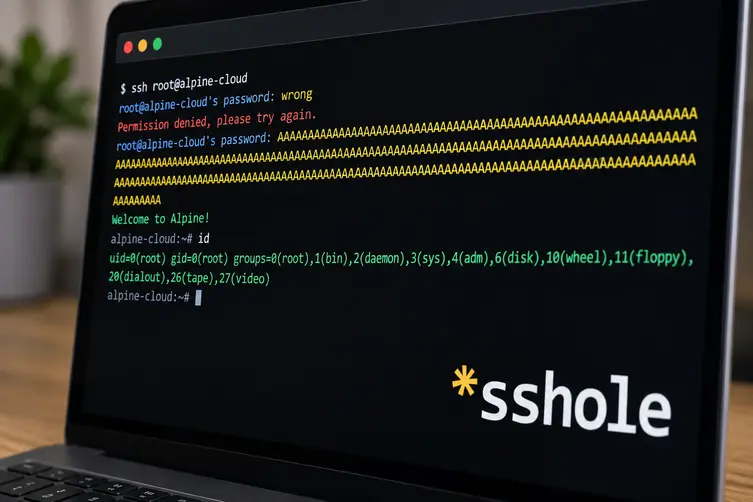
Heads up, sysadmins and cloud tinkerers: an awkward little quirk in some OpenSSH setups lets a specially crafted long password let you in to accounts that actually don’t have a password. That means key-only users, or accounts explicitly marked as passwordless, can be logged into if the server meets a few specific conditions. It’s weird, it’s specific, and yes — there’s a fix.
What’s going on (the short, geeky version)
On Alpine Linux builds of OpenSSH, where the server package is compiled without PAM, sshd does its own password checks. Because Alpine uses the musl C library, a quirk in how musl’s crypt() handles very long passwords creates a bypass: if an attacker sends a password between about 257 and 1024 bytes, musl’s crypt() can return the special marker *. If the account’s stored password field is also * (meaning “no password set”), the comparison accidentally succeeds and sshd lets the connection authenticate.
Before your brain explodes in binary rage, note this only works when several things are true at once. If any of them aren’t met, the trick fails.
- The machine runs the openssh-server package (built without PAM), or runs an OpenSSH that has
UsePAM no. PasswordAuthenticationisyes(that’s OpenSSH’s usual default).- An account’s password field in
/etc/shadowis literally*(i.e., no password configured). - At least one other local account has a hashed password using the modern $5 or $6 formats (SHA-256/SHA-512 style hashes).
If all four of those line up, an attacker who can reach the server, knows a username for a passwordless account, and supplies a ~257–1024 byte password will get in — every try, with a single connection. Delightfully terrible.
Which accounts are commonly exposed? Key-only users created without a password, users that come from certain directory setups and therefore have no shadow entry, the default root entry in some Alpine base images (which shows as root:*), and cloud-image users like alpine in certain tiny-cloud builds.
How to fix it (fast and furious)
OpenSSH shipped a quick fix (release 10.6p2), and Alpine has released patched packages for recent and some older releases. If you can update the package, do that first. After updating, remember that simply upgrading the package doesn’t restart the running sshd — you must restart the service.
- Update packages:
apk upgrade -U -a - Restart sshd:
rc-service sshd restart
If you can’t install the updated package right this second, the immediate mitigation is to disable password authentication. But don’t lock yourself out: first confirm your SSH key login works, keep that session open, then change the setting and reload.
- Make sure a key login works (keep that session alive).
- Edit or drop a config snippet to set
PasswordAuthentication no. - Check the config:
sshd -t. - Restart sshd.
- Verify:
sshd -T | grep -i passwordauthenticationshould show it disabled.
Other things to know:
- Containers that don’t run sshd, systems already using
PasswordAuthentication no, cloud images that were initialized by cloud-init (which commonly disables password auth), and accounts locked with a leading!in/etc/shadoware not affected. - The bug is tied to musl, so glibc-based systems or setups that authenticate via PAM aren’t hit the same way.
- If you build OpenSSH yourself, the fix is included in the patched release series (look for the 10.6p2-style fixes in your tree).
If you suspect a machine was accessed using this flaw, check your SSH logs for entries like Accepted password for where the account shouldn’t have a password, review recent doas or sudo usage (especially on tiny-cloud images where doas can be configured passwordless), inspect recently added users and authorized_keys, and treat the host as compromised if you can’t rule out a login.
In short: this is a tiny-but-dangerous crossover of library behavior and sshd’s legacy logic. Patch or disable password auth ASAP and reboot/restart the SSH server to be safe. Then go have a celebratory cup of coffee (or a lie-down).