
What researchers found
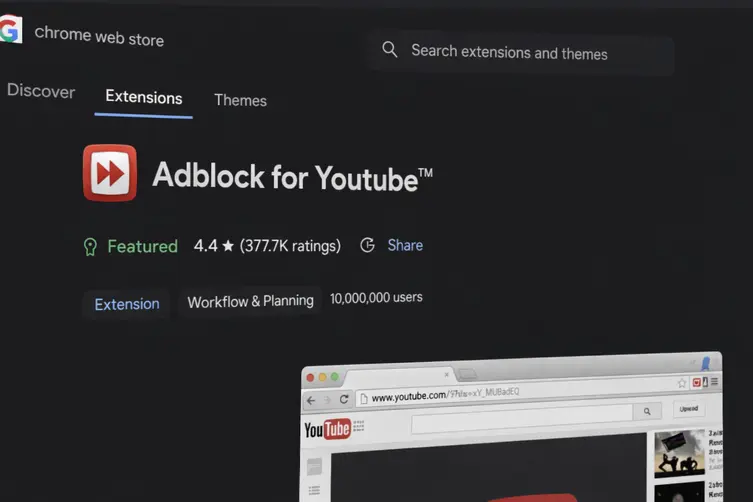
Security researchers discovered a popular Chrome extension called “Adblock for YouTube” (ID: cmedhionkhpnakcndndgjdbohmhepckk) with more than 10 million installs that does exactly what it promises — blocks YouTube ads — but also contains a sneaky backdoor-like capability. The add-on includes a server-controlled path that could create script tags on any page and run code there if someone flicked a remote switch.
The scary part: at the time of analysis the injector was dormant, not removed. Activating it would require only a single change on the extension’s server — no update, no store review, and no visible sign in the browser. That means this capability is effectively a “turn it on from the cloud” button for executing arbitrary JavaScript on pages a user visits.
The extension asks for broad permissions and is coded to load on every website, even though it claims to only act when the URL contains “youtube.com”. That check is naive: it simply looks for the string anywhere in the full URL, not the actual hostname or frame origin, so it can be bypassed by embedding “youtube.com” in query strings, referrers, or internal redirects.
- www.facebook.com/page?ref=youtube.com
- bank.example.com/search?q=youtube.com
- internal.corp.com/redirect?from=youtube.com
Past history adds fuel to the worry: earlier versions shipped with an ad-injection SDK and the extension changed hands a few years after its debut. There are also several related ad-block extensions that were later removed from the store for problematic behavior. Those include simple-name variants with these IDs:
- Adblock for Chrome (ID: onomjaelhagjjojbkcafidnepbfkpnee)
- Adblock for You (ID: ogcaehilgakehloljjmajoempaflmdci)
- AdBlock Suite (ID: gekoepiplklhniacchbbgbhilidiojmb)
What you can do (quick checklist)
Yes, this sounds dramatic. But the fix is boring and doable. If you want to sleep better at night, follow this short checklist:
- Open chrome://extensions (or your browser’s extensions page) and find any ad blocker you don’t trust.
- Remove or disable extensions you don’t need. If you keep one, make sure it’s from a reputable developer and has a clear changelog.
- Revoke or review extension permissions — be wary of extensions with all-site access if you didn’t expect them to need it.
- Change passwords for sensitive accounts if you suspect anything odd, and enable two-factor authentication.
- Use privacy-focused, well-reviewed alternatives (fewer add-ons is better) and keep your browser updated.
Final note: there was no evidence at the time that this capability had been abused in the wild, but the combination of high install numbers, remote-controlled injection paths, prior ad-injection tech, and related removed extensions is a solid reason to tidy up your extensions list. Think of it like spring cleaning, but for your browser — and slightly more paranoid.